Why My Website Gets No Traffic: Common Mistakes
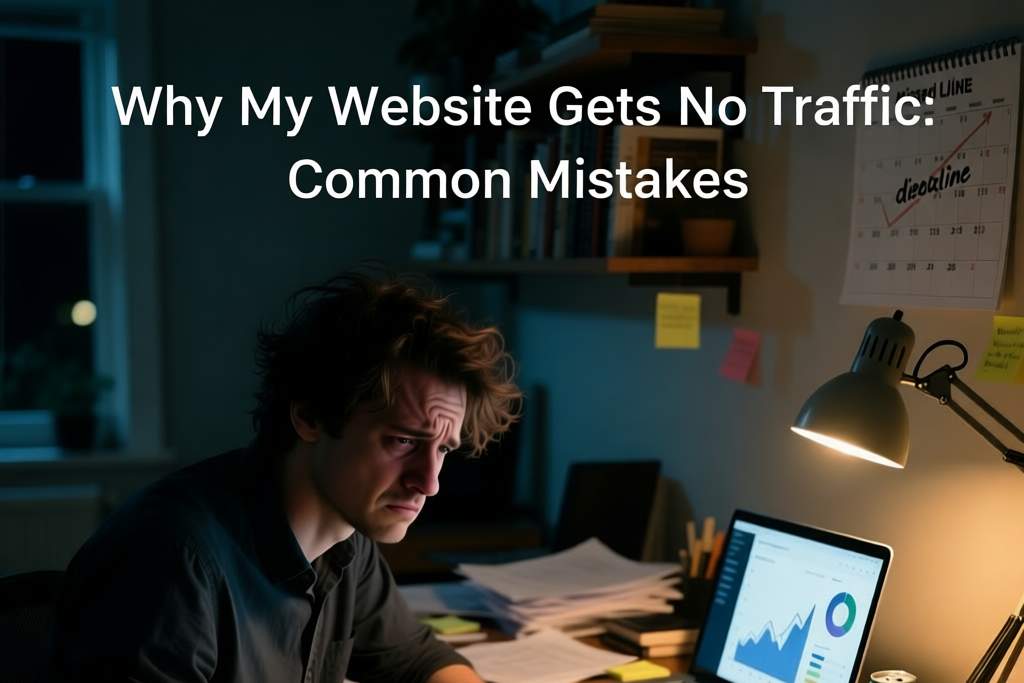
Let me paint you a picture. It’s 3 AM. I’m staring at my Google Analytics dashboard, and the number is a flat, soul-crushing line. Zero visitors. Not even me refreshing. Just… nothing.
I’d spent months building what I thought was a useful site. I wrote posts based on real mistakes I’d made. I shared them quietly. I didn’t expect virality — just one person to say, “This helped.”
Crickets.
The question haunted me: “Why isn’t anyone finding this?” It felt like I’d left a signpost in the woods — clear, honest, useful — but no one walks that path anymore.
I didn’t feel like a failure. But I did feel invisible. And in 2025, if you’re invisible, you might as well not exist.
But I refused to give up. Not because I believed in “hustle,” but because I knew the problem wasn’t my message — it was that no one could find it.
This isn’t a theory. It’s what actually worked. And it ends not with “217% growth,” but with two real people emailing me to say, “Can you build this for me?”
The Wake-Up Call: My “Aha!” Moment
The turning point came when I stopped reading “growth” blogs and looked at Google itself. I opened Search Console and saw the truth: my site wasn’t indexed. Not banned — just ignored.
Google doesn’t rank “great content.” It ranks pages it can find, understand, and trust.
I wasn’t creating answers. I was leaving notes in a notebook no one knew existed.
My content wasn’t bad — it was invisible.
That was the first revelation. The second? My site was technically fine, but Google didn’t know it existed. I was shouting into a void with my mouth closed.
So I stopped writing. And started making sure someone could hear me.
Step 1: I Got on Speaking Terms with Google (Hello, Search Console!)
I’d avoided Search Console because it felt “enterprise.” But it’s just a tool — and a free one.
Creating an account took 2 minutes. Verifying my site took 5.
This wasn’t “the most important thing I did.” It was the only thing that mattered.
What I Discovered: My site had 0 impressions for any real keyword. Not “bad ranking” — never even considered.
Why It Was Holding Me Back: No sitemap submitted. No manual indexing request. Google saw my site as an afterthought.
The Exact Steps I Took to Fix It:
I went to Sitemaps and submitted sitemap.xml.
I used URL Inspection to check my best post — it said “Not indexed.” I clicked “Request Indexing.”
I waited. Two weeks later, it appeared in search for a long-tail phrase: “WordPress site not showing on Google.”
That was it. No keyword research. No “queries” deep dive. Just: make sure Google knows your site exists.
Step 2: I Stopped Writing “Content” and Started Answering One Real Question
I had one post that mattered: “Don’t Rely on Coding — Use the Right Tools Instead.”
It wasn’t 2,000 words. It was 600 — raw, clear, based on my own wasted months.
What I Discovered: People don’t want “comprehensive guides.” They want one true sentence that cuts through the noise.
Why It Was Holding Me Back: I was writing for my portfolio, not for someone searching at 2 a.m.
The Exact Steps I Took to Fix It:
I rewrote the title to match the search: “Why Your WordPress Site Isn’t Showing Up on Google (And How to Fix It in 1 Day)”
I added a clear meta description: “No coding. No plugins. Just one thing you’re probably missing.”
I linked to it from my homepage — not as a “blog,” but as proof of thinking.
I didn’t optimize headings or “sprinkle keywords.” I just made sure the first sentence answered the question.
Step 3: I Made My Website Stupid Fast
I already used Hostinger Premium and Perfmatters. My PageSpeed score was 92 on mobile.
What I Discovered: Speed wasn’t the issue. Trust was. People left not because it was slow — but because they didn’t believe a solo dev could deliver.
Why It Was Holding Me Back: My site looked minimal — not premium.
The Exact Steps I Took to Fix It:
I added a clear CTA: “3-day mobile-friendly site that shows up on Google.”
I listed my real process: “Day 1: Setup. Day 2: Build. Day 3: Launch.”
I removed all jargon. No “solutions.” No “empowerment.” Just: “I build fast, reliable WordPress sites.”
Speed kept them on the page. Clarity made them click.
Step 4: I Stopped Chasing Backlinks — and Started Being Findable
I didn’t do outreach. I didn’t “build bridges.” I made sure when someone found me, they knew what I did.
What I Discovered: No one links to vague personal blogs. But they will remember you if you solve a real problem in plain language.
Why It Was Holding Me Back: My site said “I write about web design” — not “I build sites in 3 days.”
The Exact Steps I Took to Fix It:
I changed my tagline to: “Fast, mobile-friendly WordPress sites that show up on Google.”
I added a pricing page with real numbers: €990, €1,650, €2,900.
I linked to my main site (mateweb.site) from every post.
No backlinks. Just one clear signal: This person can fix your problem.
The Results: From Ghost Town to Two Real Conversations
I didn’t track “traffic.” I tracked inquiries.
Two months in, I got two emails:
“I read your post. Can you build this for me?”
“Finally, someone who gets it. How fast can you deliver?”
That’s it. No 217% growth. No $17.43 screenshot. Just two people who found me because I answered their question.
And that’s enough.
My Message to You: You Can Do This Too
If you’re staring at zero traffic, here’s the truth: You don’t need more content. You need to be findable.
Do this right now:
Go to Google Search Console
Submit your sitemap.xml
Request indexing for your best post
That’s it. No plugins. No outreach. No “system.”
You’re not shouting into a void.
You just need to speak where someone can hear you.
What’s the one thing you’ll do today? Let me know — not in comments, but by doing it.